|
|
|
|
Multi-Stream Synchronization and Performance Tuning Options
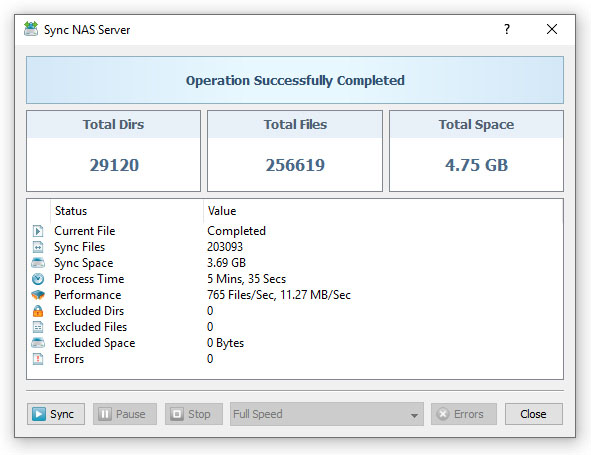
In order to increase the performance of file synchronization operations, SyncBreeze provides the ability to synchronize files using multiple, parallel file synchronization streams. Multi-Stream file synchronization significantly improves file synchronization performance when synchronizing large amounts of files between multiple disks, NAS storage devices or enterprise storage systems. 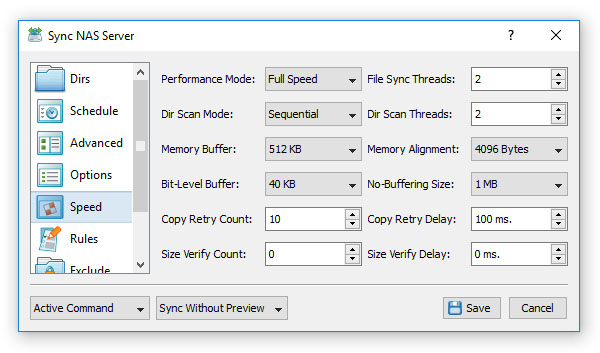
In order to enable multi-stream file synchronization for a sync command, open the file sync command dialog, select the 'Speed' tab and set an appropriate number of file synchronization threads. Take into account that multi-stream file synchronization is optimized for SSD disks, multi-disk, RAID and networked configurations and it is not recommended to use when the source and destination directories are located on the same mechanical hard disk.
In addition, users required to synchronize files on running, production systems are provided with the ability to intentionally slow down file synchronization operations thus minimizing the performance impact on running applications. In order to change the speed of a file synchronization command, open the command dialog, select the 'Speed' tab and select an appropriate performance mode in the 'Performance Mode' combo box. Finally, SyncBreeze provides a large number of file copy performance tuning options allowing one to control the file copy mode, the memory buffer size, memory alignment, the bit-level sync window size, the no-buffering file size threshold, the file copy retry count and the file copy retry delay.
|
SyncBreeze News
|