Synchronizing Specific File Types or File Categories | ||||||||
SyncBreeze provides the ability to synchronize specific types of files or file groups using one or more user-specified file matching rules. For example, the user can synchronize all types of documents, images and music files, while skipping all other types of files from the file synchronization process. In order to add one or more file matching rules to a file synchronization command, open the file synchronization command dialog, select the 'Rules' tab and press the 'Add' button. On the 'Rules' dialog select an appropriate rule type and specify all the required parameters. 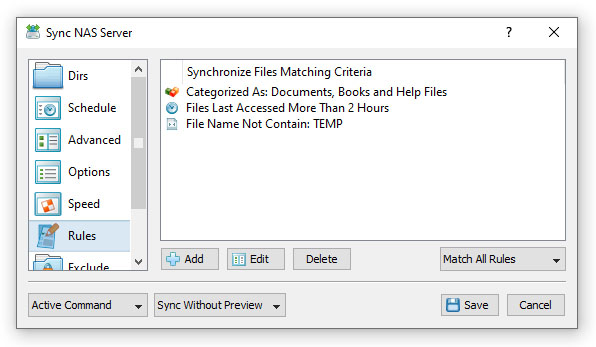
During the file synchronization process, SyncBreeze will scan the source and destination directories and apply the specified file matching rules to all processed files. Files not matching the specified rules will be skipped from the file synchronization process effectively limiting the file synchronization operation to the user-specified files only. 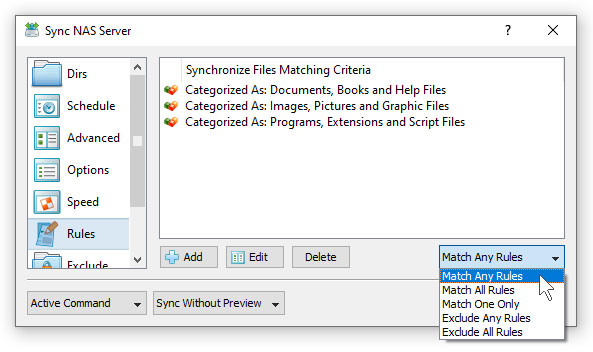
Sometimes, it may be required to synchronize a number of different types of files and skip all the other files. In this case, the user can add multiple file matching rules with each one selecting a specific type of files and then set the rules logic to 'Match Any Rules'. Another option to specify which types of files to synchronize is to use the file extension rule, which provides the ability to select files by one or more file extensions. Press the 'Add' button on the 'Rules' tab, select the 'File Extension' rule type, set the rule operator to 'Equals' and enter up to 6 file extensions per rule to match. 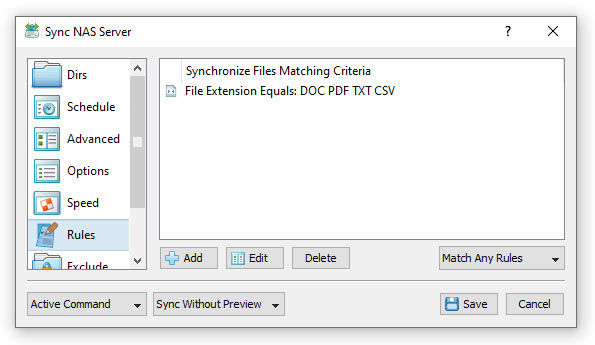
In addition to the positive file matching rules, which are good to synchronize user-selected types of files, SyncBreeze provides negative file matching rules allowing one to exclude specific types of files from the file synchronization process. 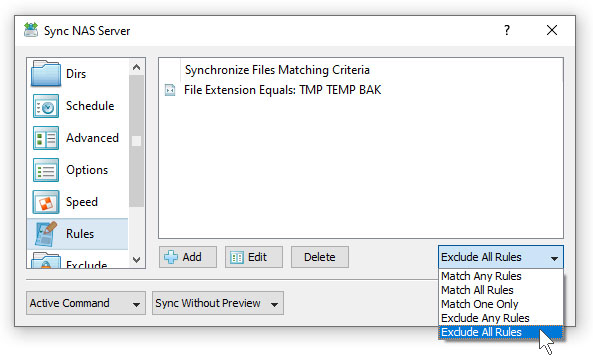
In general, all types of file matching rules provide negative operators allowing one to exclude files by the file name, extension, file type, location, size, file attributes, file creation and modification dates, etc. For example, in order to exclude temporary and backup files by the file extension, add the file extension rule, set the rule operator to 'Equals', set the list of file extensions to 'TMP TEMP BAK' and then set the rules logic to 'Exclude Any Rules'. Synchronize Files By User Name In multi-user environments, SyncBreeze provides the ability to synchronize files by the user name, group name and domain name. For example, in order to sync files owned by a specific user, open the sync command options dialog, select the 'Rules' tab, select the 'Search Files With User Name' and enter the user name to search for. 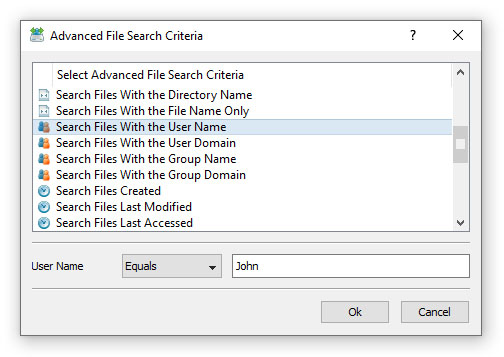
In addition to the positive file matching rules, SyncBreeze provides negative file matching rules allowing one to exclude files matching the specified criteria. For example, in order to exclude all files owned by any member of the 'Administrators' user group, open the sync command options dialog, select the 'Rules' tab, select the 'Search Files With Group Name', set the rule operator to 'Not Equal' and enter the 'Administrators' group name. 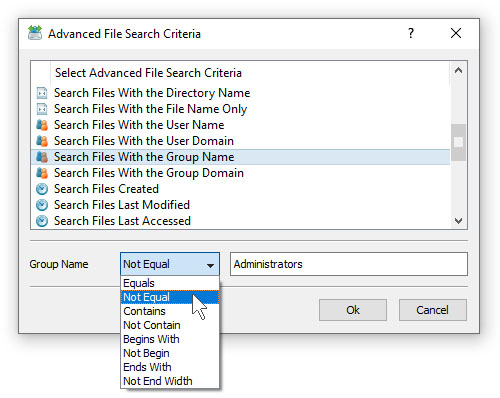
One of the most powerful features of the SyncBreeze file matching rules is the ability to combine multiple types of rules allowing one to precisely select which files should be synchronized and which files should be excluded from the file synchronization process. For example, the user can configure a file synchronization command to sync all types of documents and image files, which were created during the last week by any regular user, but exclude all files owned by Administrators.
|

|

|


