In addition to the periodic and scheduled file synchronization capabilities, SyncBreeze Pro and SyncBreeze Server provide
the user with advanced real-time file synchronization allowing one to monitor the source and/or destination directory and
trigger the file synchronization command after a user-specified number of file system changes.
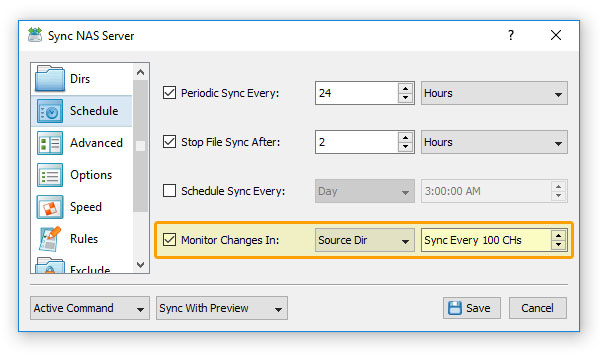
The real-time file synchronization capabilities are especially useful when the amount of file system changes is not even over
time with sudden spikes of file system changes followed by periods of low activity. In such a situation, it will be wasteful
to frequently perform periodic file synchronization if nothing has changed, but on the other hand, if someone suddenly
changes a large number of files, these changes should be synchronized as soon as possible.
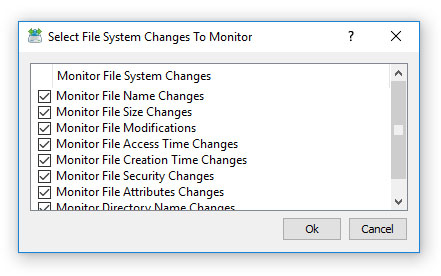
The most balanced approach for such situations is a combination of periodic file synchronization with real-time disk change
monitoring configured to trigger the file synchronization command after a user-specified number of changes. In this way,
if the amount of file system changes is below the threshold defined in the real-time disk change monitor, the timer will
execute the file synchronization command according to the scheduled time interval. On the other hand, if there are too
many changes, the disk change monitor will trigger the file synchronization command before the scheduled time.
In order to enable real-time file synchronization for a file sync command, open the command dialog, select the 'Advanced' tab
and select the 'Monitor Changes' checkbox. SyncBreeze allows one to monitor the source directory, the destination directory
or both directories simultaneously. Enter an appropriate number of changes that should trigger the file synchronization
command and press the 'Save' button.


